Download this article (PDF) 584 KB
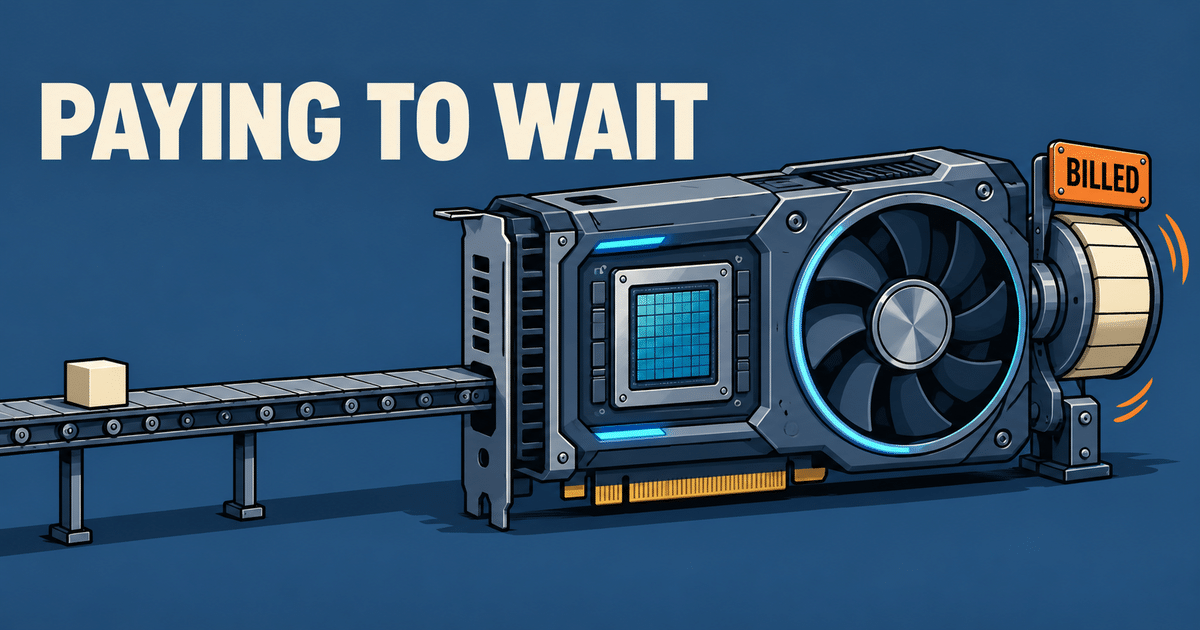
GPU cost optimization starts by measuring the cost of completing a defined workload at the required quality and latency. Data stalls, oversized serving replicas, unsuitable sharing and unattributed capacity are useful places to investigate. None implies a universal saving percentage, and increasing a utilization counter does not by itself reduce the bill.
I would ask what the fleet finished during the billing period before asking whether another instance discount is available. Pricing still matters. It just cannot explain whether the purchased capacity was appropriate for the work.
Measure useful work before declaring GPU waste
GPU waste is paid capacity that could be removed or used more effectively without violating workload requirements. Low activity can indicate a bottleneck, spare capacity for resilience or simply low demand. Compare completed work, elapsed time and service quality with allocated capacity. A utilization target alone cannot distinguish avoidable waste from necessary operating headroom.
The NVIDIA DCGM documentation distinguishes engine activity, SM activity, occupancy and tensor activity. These measure different aspects of execution. Even an active warp may be waiting for memory, and higher occupancy does not necessarily mean better performance.
Record training step time and completed comparable runs. For inference, record successful requests within the latency target and their input/output lengths. Read those alongside GPU activity, device memory, CPU, network and storage signals over the same interval.
Which GPU cost leaks should you investigate?
The most useful GPU cost investigations connect a symptom to a testable cause and a removable cost. Start with the data path, serving capacity, allocation granularity and ownership of spend. The table gives diagnostic hypotheses rather than guaranteed fixes. Several symptoms can share a cause, so their apparent savings must not be added together.
| Area | Evidence to collect | First controlled test |
|---|---|---|
| Data path | Batch-ready delay, step timeline, CPU and storage activity | Replay representative data locally without changing the model |
| Inference sizing | Request lengths, queueing, latency tails and cache pressure | Replay traffic on fewer replicas against the same service target |
| GPU allocation | Requested devices, pending jobs and per-workload memory needs | Compare exclusive and supported sharing configurations |
| Cost ownership | Allocated GPU-hours, idle assets and team/workload labels | Reconcile workload allocations with billed or amortized node costs |
This is my review sequence, not a claim about how frequently each defect appears across the industry. I would investigate the dominant delay first. Four recommendations that all recover the same idle interval are one opportunity, not four independent savings.
Is the data path starving training?
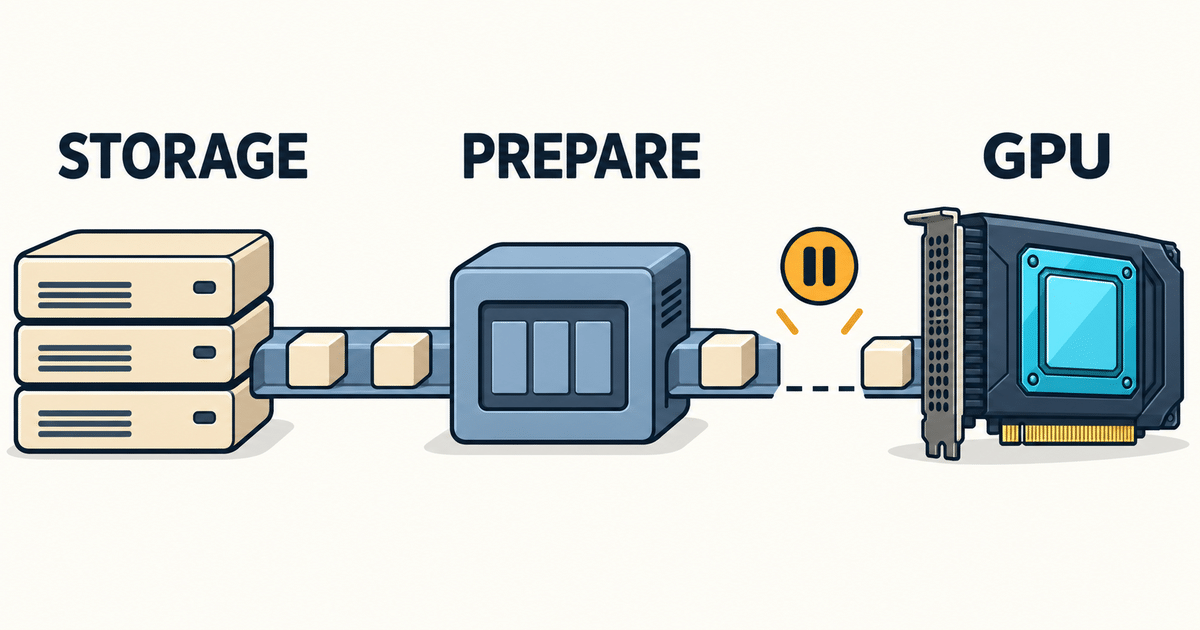
Data starvation occurs when a training step waits for input preparation or transfer instead of progressing through its compute work. The cause can be storage, network transport, CPU decoding, augmentation or the loader configuration. A faster GPU or a new cache will not necessarily address the limiting stage. Establish where time is spent before changing infrastructure.
The PyTorch Performance Tuning Guide describes asynchronous loading with DataLoader workers and pinned memory for GPU transfers. It also says worker count needs workload-specific tuning. Those are options to test, not settings that guarantee a particular throughput gain.
My first comparison would keep the model, data content and training settings constant while changing how input reaches the process. A representative local-data run can help separate remote reads from decoding or preprocessing. Record warm and cold behavior; a cache result that assumes everything is already loaded may not represent a new training run.
If the trace points to storage or object layout, continue with the AI storage bottleneck. Avoid buying another serving layer merely because the GPU activity graph has gaps.
How much inference headroom is actually needed?
Inference headroom should be sized against the arrival pattern, request lengths and latency commitments of the service. Queuing and batching can improve capacity use while making some requests slower. Test the tradeoff with representative traffic, including bursts and long contexts. Removing a replica is only an improvement if the remaining service still meets its requirements.
The vLLM metrics documentation exposes queue time, time to first token, inter-token latency, request lengths and KV-cache usage. Match the metric names and definitions to the version actually deployed; do not treat memory reserved by the runtime as direct evidence that equivalent capacity can be removed.
I would compare replica counts and batching settings under the same traffic replay. Track accepted throughput, latency percentiles, errors, preemptions and recovery after a replica loss. An average request size is too weak a basis for a purchase if rare long requests consume the available cache.
A longer queue is not free capacity. Put a bound on waiting time and define rejection or admission behavior before accepting a configuration that only performs well by accumulating unfinished work.
Choose GPU sharing by its isolation requirements
GPU sharing changes the allocation and interference characteristics of a workload. Exclusive access, hardware partitioning and time-slicing are different choices, with different compatibility and isolation properties. Select a supported configuration for the actual GPU and software stack, then test concurrent workloads. More advertised allocation slots do not mean more physical compute or guaranteed application throughput.
| Mode | Allocation model | Main constraint to validate |
|---|---|---|
| Exclusive device | A workload receives a full GPU | Capacity may remain reserved between useful work |
| MIG | Supported GPUs expose predefined hardware partitions | Available profiles and partition memory must fit the workload |
| Time-slicing | Workloads interleave on the same underlying device | Replicas do not provide separate memory or fault isolation |
The NVIDIA GPU Operator documentation explains that time-slicing lacks MIG’s memory and fault isolation. Requesting more time-sliced replicas does not guarantee proportional compute. The same page warns that DCGM-Exporter cannot associate metrics with containers for this device-plugin time-slicing configuration.
Check attribution as well as performance when testing a shared device. A dashboard assigning the full device activity to each tenant would make several busy workloads appear to have used more physical capacity than exists. Allocation policy and measured compute use should remain separate.

Showback should separate allocation from activity
GPU showback assigns costs to workloads so teams can make capacity decisions. It should distinguish paid or reserved capacity from activity observed inside that capacity. Include unallocated nodes and shared overhead, and state how costs are distributed. A workload can own an expensive reservation while its kernels are mostly inactive; allocation and activity answer different questions.
The OpenCost specification separates allocation, usage, idle and overhead costs. Its allocation model is not a direct measurement of useful GPU computation. Reconcile component costs with the node price so CPU, RAM and GPU allocations do not exceed the underlying asset cost through double counting.
Use stable labels for team, workload and model version where appropriate. Document the treatment of shared GPUs and missing telemetry. A cost report should identify an owner and a decision, such as reducing a replica pool or ending an unused reservation; visibility alone does not guarantee savings.
Separate capacity gains from actual bill reductions
A performance gain becomes a cash saving only when it reduces a charge that can actually change. Finishing a job sooner can lower usage-based GPU-hours, while a fixed commitment may cost the same until renewal. Reusing spare capacity can defer a purchase without reducing this month’s invoice. Report these outcomes separately and include any new operating costs.
Illustrative arithmetic, not a provider quote or customer result: assume an unchanged workload needs 1,000 billed GPU-hours before a change and 750 after it, at a hypothetical flat rate of $3 per GPU-hour. The GPU compute component falls by $750, or 25%. This assumes the hours are genuinely billable and removable.
| Measure | Baseline | Candidate |
|---|---|---|
| Billed GPU-hours for the same work | 1,000 | 750 |
| Assumed price per GPU-hour | $3 | $3 |
| GPU compute cost | $3,000 | $2,250 |
Storage, network, CPU, engineering work and reliability effects remain outside this simplified example and must be included in a real comparison. If all 1,000 hours are already committed and cannot be reduced, the immediate compute invoice does not fall by $750. The gain may instead be capacity available for other work.
Do not add percentage estimates for caching, sharing and showback. Measure the final configuration against one baseline after accounting for overlap. For the general limit imposed by an unchanged stage, see Amdahl’s law in performance planning.
Run the review before buying more GPUs
A useful GPU cost review produces a workload baseline, evidence for the dominant constraint and a tested change with a clear cost outcome. Include latency, quality and resilience as acceptance criteria. Keep the comparison reproducible and identify what can be removed, reused or deferred. A proposed utilization gain without that decision is not a complete sizing recommendation.
- Choose the workload and period; record completed work, quality, latency targets and billed or amortized capacity.
- Capture synchronized application, CPU, GPU, storage and network measurements with versions and configuration.
- Test one dominant hypothesis, then compare the complete candidate configuration with the original baseline.
- Check bursts, cold starts, shared-resource interference and the required failure scenario.
- Classify the outcome as removable spend, reusable capacity, avoided purchase or no improvement; assign an owner and rollback criteria.
This article belongs to performance and cost engineering. If you are preparing a GPU purchase or trying to explain a growing bill, my Cost Optimization Review examines the workload, cross-layer bottlenecks and the purchasing assumptions together. Book a free 15-minute intro call to discuss the decision.
FAQ: GPU infrastructure cost optimization
GPU cost optimization requires a comparison between workload outcomes and the capacity paid for. The answers below distinguish common monitoring signals from evidence of a cost reduction. Sharing, caching and batching can help in suitable conditions, but each changes constraints that must be checked on the actual hardware, runtime and request or training workload.
Does low GPU utilization prove waste?
No. Low activity may reflect avoidable stalls, low demand or headroom needed for latency and resilience. Check the workload timeline and compare completed work with allocated capacity before deciding what to remove.
Will a local NVMe cache always help?
A local cache helps only when it addresses a limiting part of the data path. CPU preparation, transfer, cache misses or a working set that does not fit can limit the result. Compare end-to-end workload time and the cache’s added cost.
Is GPU time-slicing equivalent to MIG?
No. NVIDIA documents different isolation properties for the two mechanisms. Time-slicing interleaves workloads on shared hardware without separate memory or fault isolation between its replicas. Verify hardware support, workload fit and concurrent behavior before choosing a mode.
Can faster execution leave the bill unchanged?
Yes. Fixed commitments or hardware ownership can keep immediate costs unchanged even when useful capacity increases. Report released capacity or an avoided purchase separately from a reduction in a usage-based invoice.
Sources and update scope
The documentation supports the mechanisms and measurement distinctions described here. The diagnostic sequence and acceptance criteria are my engineering recommendations. The numerical example is explicitly hypothetical and is not a benchmark or a customer case study. No customer identities, invoices, measurements or confidential configurations are disclosed in this article.
- NVIDIA DCGM: feature overview and profiling metrics.
- PyTorch: Performance Tuning Guide.
- vLLM: metrics and latency definitions.
- NVIDIA GPU Operator: time-slicing and MIG comparison.
- OpenCost: cost allocation specification.
Documentation checked October 22, 2026. No affiliation with or endorsement by the cited projects or vendors is implied.
Updated October 22, 2026. Replaced the general 40% headline and unsupported saving ranges with a measurement-led method. Clarified sharing and cost attribution, added a hypothetical cost example and FAQ, and replaced the image pack. The URL and original publication date are unchanged.
Related posts
This article focuses on diagnosing GPU capacity costs before making a purchasing or configuration decision. The parent guide covers the wider performance and cost method. The related articles develop individual constraints, including storage throughput, the fraction of a workload that can be accelerated and the queueing behavior that affects service capacity.
0 Comments