Object storage looks simple until it carries a real workload. An S3 bucket accepts any key, any size, any rate, and the invoice reads in terabytes. Then production arrives. Billions of small objects. A scanner that never catches up. Inodes exhausted while df -h shows half the disk free. A recovery SLA measured in weeks instead of hours. This guide collects what the object storage posts on this blog established across production MinIO, Ceph and S3-compatible platforms. Each section states the mechanism and links to the post that proves it.
Who this is for: CTOs, heads of platform and SRE teams running on-premises or hybrid object storage, and anyone sizing a data lake that will feed analytics or AI training. If you want the one-line version: object count is a capacity axis, the background scanner decides your real SLAs, and every optional feature taxes the namespace.
What an object store is, and what it is not
An S3 object store is a blob store laid out as a filesystem tree. Each slash in a key becomes a real directory. Each object carries a metadata envelope (on MinIO, xl.meta) written on every drive of its erasure set.
There is no global index in RAM and no secondary index on disk. That design is why object storage escapes the classic metadata-heap ceiling that kills HDFS NameNodes at billions of files, and it is also why the costs below exist.
What an object store does not give you: a queryable index, transactions, compaction, or continuous read repair in the database sense. Durability is emergent. Repair runs on a sampled background schedule. Degradation therefore rarely crashes anything. It drifts, with green dashboards, until the day a recovery test exposes the gap.
The recurring antipattern is using the object store as a key-value database for billions of tiny records. Two production cases in why S3 object stores collapse on small-file workloads show the failure shape: a feature store holding 3 billion objects of roughly 480 bytes watched its P99 PUT latency climb from 30 ms to 4 s, and an observability store at 900 million objects saw single-prefix listings take 90 seconds. The companion post, why an object store is not a database, lists the missing structural capabilities one by one.
Object count is a capacity axis
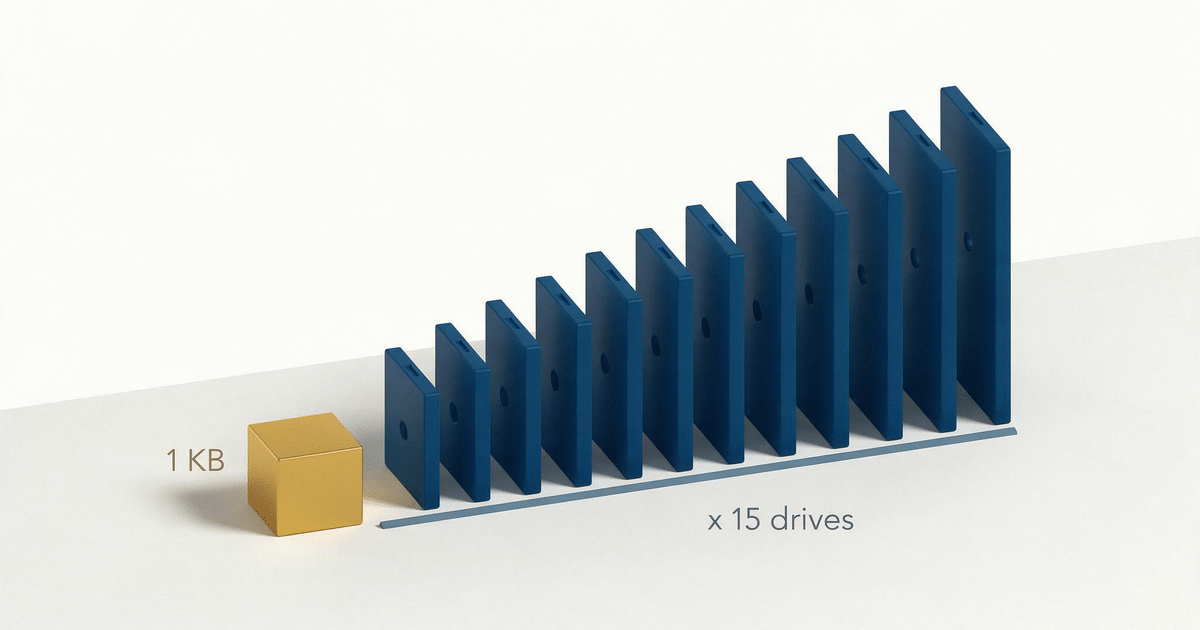
Every object costs filesystem metadata multiplied by the width of its erasure set. A small object that inlines its payload into the metadata envelope still consumes about two inodes per drive of the set: the object directory and the envelope. A single-part object above the inline threshold costs about four. On a 15-drive set, 100,000 objects therefore land as roughly 1.5 million filesystem entries.
Parity does not reduce the metadata copies; set width is the multiplier. The full model is in inode exhaustion and prefix design for lots of small files.
This is also where erasure coding inverts. For multi-megabyte objects, EC 8+8 on 16 drives costs about 2x raw overhead and beats 3x replication cleanly. For tiny objects the payload is a rounding error and the metadata envelope is not. A 1 KiB object can occupy on the order of 120 KiB on a wide set once envelope copies and 4 KiB filesystem block rounding are counted. On a 10 KB payload with a 15-drive set the multiplier lands near 12x, which is worse than plain replication by a factor of four. The multiplier tracks the set width, not a fixed constant. When erasure coding becomes 15x replication works the math end to end and shows a sizing exercise that dies in under four months instead of two years.
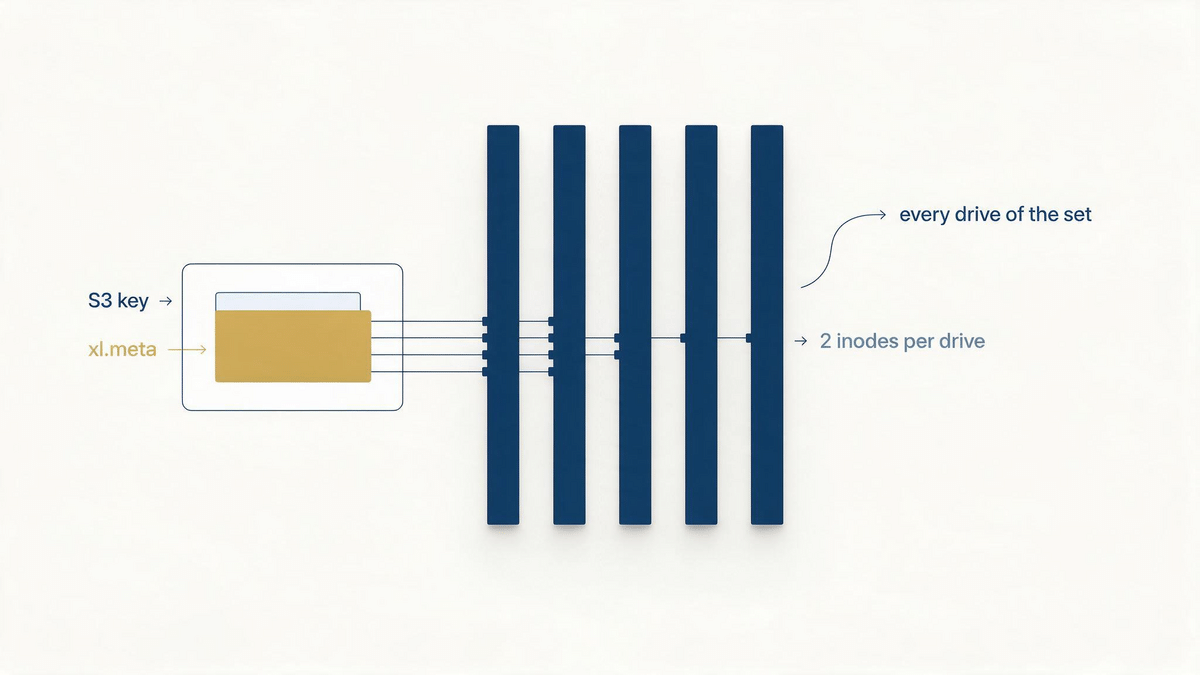
Inodes fail before bytes do. A 3.5 TB XFS filesystem formatted with defaults tops out near 1.7 billion inodes. One year of 15 million objects per day wants roughly 2.7 billion per drive on a wide set, so the filesystem returns ENOSPC around day 225 with half the drive’s bytes still free. Watch df -i, not df -h.
Object count is also independent of compression. A geospatial case in why file count matters as much as file size tiled the same 631-million-point dataset two ways: 104,000 objects with one toolchain, 4,000 with another. Same bytes, similar compression ratios (1.4x to 2.3x), a 25x swing in object count. Request-based billing and orphan cleanup both scale with the count. If a format comparison spreadsheet has a compression column and no object-count column, add one.
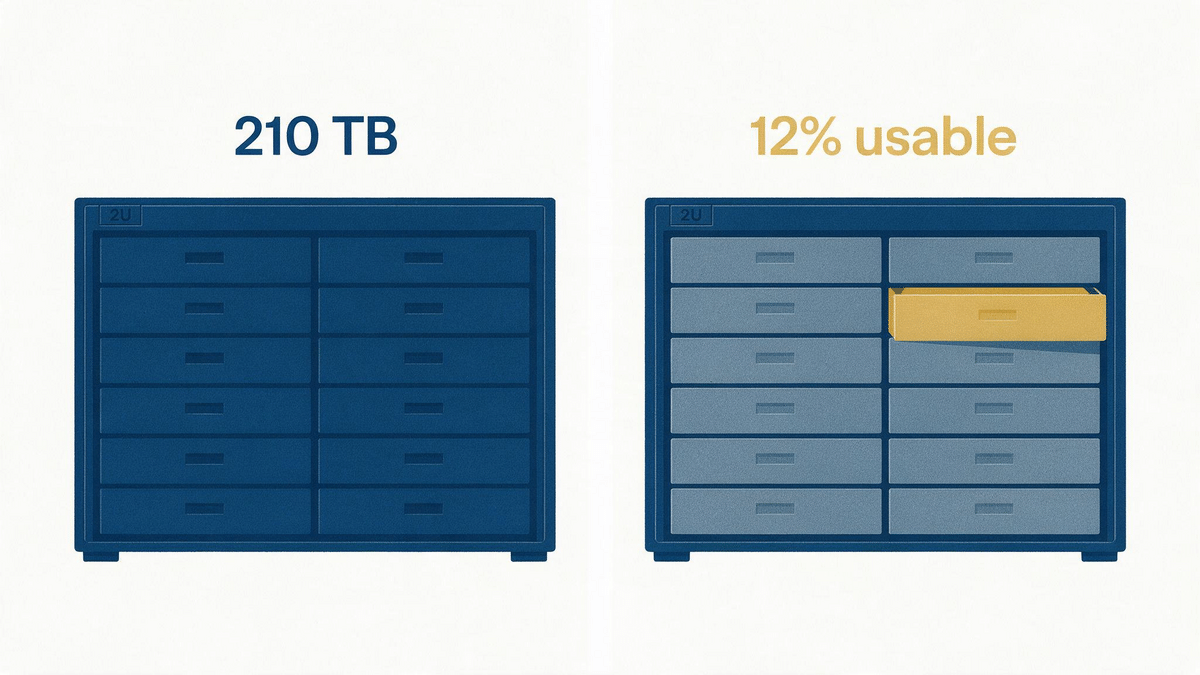
Size on objects, not bytes. Derive retention from your scanner budget and inode ceiling first, then price the terabytes. A rack sized in bytes alone is how teams end up with 210 TB of NVMe they can operationally use for about 12 percent of the year’s data.
Design the namespace before you fill it
Prefixes are directories, and directories have budgets. The operating rule used across these posts: under 10,000 entries per leaf prefix per drive. The leaf-to-B+tree transition of XFS sits somewhere in the low hundreds of thousands of entries and depends on block size and name length, so there is no single universal threshold to tune against. There is only the house rule and the alert MinIO raises at 50,000 subdirectories in a prefix.
Fan-out beats depth. A two-level hex fan-out ({hash2}/{hash2}/{id}) reaches roughly 655 million objects at 10,000 per leaf; a flat namespace stops at 10,000. Time-based recipes with hour buckets and a per-tranche hash land in the same range while staying debuggable: {YYYY}/{MM}/{DD}/{HH}/{tranche}/{hash2}/{object-id}. The recommended layouts, the ceiling table and the bad-key list are in the prefix design post.
LIST is a filesystem walk, about 2 to 3 cold IOPS per listed object per drive queried. One hot leaf holding a million objects can peg an entire erasure set for tens of seconds while the rest of the cluster idles. Scope every LIST and lifecycle tool to a prefix. Unbounded recursive listing is a bug.
Tag updates rewrite the whole metadata envelope on every drive of the set, under write quorum. On a small inlined object, PutObjectTagging moves roughly the same bytes as the original write. The cost of tagging scales inversely with object size, so decide tags at PUT time.
The background scanner sets your real SLAs
One linear namespace walk drives lifecycle expiration, heal sampling, usage statistics and the replication retry tail. Heal checks sample one object in 1,024 per scanner cycle, and full coverage takes 16 cycles. Measured anchor: 48 million objects take about 21 hours per full scan at default speed, and the cost grows near-linearly.
At billions of objects a cycle stretches to weeks, so your healing and retention SLAs stretch with it. A system provisioned for four-hour recovery quietly runs a repair loop measured in weeks.
Failures stay quiet because nothing crashes. The most damaging case on record is the tiering heal blind spot: objects transitioned to a cold tier lost metadata healing entirely, and one production platform discovered the issue only after losing roughly 10 percent of its data. The bytes were still on the cold tier under internal names, unreachable. The reproduction, the GitHub issue and the fix timeline are in the MinIO tiering data loss warning.
What to watch instead of green dashboards: inode usage per drive, scanner cycle duration, versions per object, LIST latency per hot prefix, and the response-code distribution of internal replication traffic. Each of these is a leading indicator. None of them ship as the headline dashboard panel.
Feature surface: versioning and lifecycle
Every optional feature multiplies the namespace walk. Versioning multiplies object count by the average number of versions per key. Lifecycle rules create delete markers. Tag updates rewrite metadata envelopes. Individually each switch is reasonable; stacked, they write the failure. The lesson that survives every incident behind these posts: run the smallest feature surface that satisfies the actual requirement, and treat every new switch as a multiplier on the repair clock.
Start from payload size distribution, access pattern and consistency needs, not from the storage vendor’s logo. If the workload is key-direct reads and writes of small records, a database is the right home. Cassandra and ScyllaDB cover billions of small key-addressed payloads from a few hundred bytes to roughly 500 KiB, with compression typically 3x to 5x. PostgreSQL covers the region below about 100 million rows. Moving the small-record path off the object store can divide disk usage by an order of magnitude or more.
When both are needed, use the hybrid pattern: a database row holds the S3 key, ETag and size; the object store holds the payload. The database answers every lookup. The object store never serves a LIST.
When the workload is analytical or training-oriented, the same mismatch appears as data plumbing. Formats built for tensors and random access (Tesla’s .smol design, described in why most enterprise data lakes are architecturally wrong) target a 4x reduction in IOPS for AI training by removing decode tax and deterministic random access. The symptom to recognize: reading gigabytes to extract megabytes of useful tensors. Batch at source where you control the writer. Parquet, tar or NDJSON tranche files collapse object counts by 100x to 1000x and fix the scanner budget at the same time.
Media and platform choices
HDDs lose their price advantage to IOPS. IOPS per terabyte falls as drive capacity rises, and dense HDD nodes rarely sustain erasure sets wider than four drives. The practical default becomes EC 4:2 at about 50 percent efficiency, against roughly 70 percent for EC 10:2 on SSD.
The extra raw capacity, drives and racks often erase the savings, before counting the operator time. The short version in the hidden costs of HDDs in on-premises MinIO: be kind to yourself and use SSD. When HDD is unavoidable, keep metadata on an SSD primary tier and use HDD as a capacity tier.
Erasure-set width is the second geometry lever. Wide sets improve storage efficiency on large objects and amplify metadata cost per small object. Small sets do the opposite. Choose the geometry from the payload distribution, not from the datasheet default.
For the on-prem S3 landscape, the honest map is short. Ceph RGW is LGPL, battle-tested and infrastructure-heavy. SeaweedFS is Apache-licensed and young. Apache Ozone fits Hadoop and Spark estates. Cloud S3 remains the default when a provider boundary is acceptable. The choice that matters more than the product is the one in the next section.
Operating the platform: licensing and release channels
MinIO Community Edition is frozen. The last open-source release shipped in October 2025, the repository was archived read-only in April 2026, and development continues in the proprietary AIStor line whose public pricing lands around a quarter of a million dollars per petabyte per year.
Three CVEs with public advisories will never be patched on the frozen line; one of them lets any user with s3:PutObject upload objects that become permanently unreadable. The full exposure map, the confirmed-versus-inferred fix log and the network-layer workarounds are in assess the risk of MinIO Community in production. The licensing primer and the alternatives are in the Community Edition endgame under AGPL, and the exit options are laid out in what maintenance mode means for a data lake.
One maintained fork exists. PGSTY Silo keeps the MinIO on-disk format and S3 API, ships security fixes (including all three CVEs) and stays AGPL-3.0. Running the frozen line by default is the indefensible position. Running Community MinIO deliberately, with the exposure priced, is a legitimate choice for plenty of workloads.
The general lesson is older than MinIO. An on-premises data platform splits responsibilities that a managed product hides, and the cost moves from infrastructure to people. The operating model of when the lakehouse works but the operating model breaks applies to any storage platform: choose the architecture and the release channel together, automate maintenance from day one, and test recovery before you need it.
FAQ
Is object storage the right backend for billions of small objects?
No. An S3 object store carries filesystem metadata for every object on every drive of its erasure set, so billions of small records inflate metadata, exhaust inodes and stretch the repair scanner to weeks per cycle. Put small key-addressed records in a database such as Cassandra or ScyllaDB, batch at source into larger files, or use a hybrid pattern where the database holds keys and the object store holds payloads.
Why does erasure coding sometimes use more space than replication?
Because small objects inline their payload into a metadata envelope that is written on every drive of the set. Envelope copies and 4 KiB filesystem block rounding then dominate the payload. On a wide set a 1 KiB object can occupy on the order of 120 KiB total, which costs several times more than 3x replication. The multiplier tracks the erasure set width, so size small-object workloads on object counts and set geometry, not on logical bytes.
How many objects can one bucket or prefix hold?
Keep any leaf prefix under about 10,000 entries per drive and use fan-out to scale. A two-level hex fan-out supports hundreds of millions of objects per bucket with that leaf rule; a flat namespace stops at 10,000. Practical bucket ceilings near 100 million objects come from scanner coverage time, not from a hard limit, so budgets are set by how long a full scan takes against your recovery and lifecycle SLAs.
Should we run MinIO Community Edition in production today?
Only as a deliberate decision with the exposure priced in. The open-source line is frozen since October 2025 and three disclosed CVEs will never be patched on it, including one that can make uploaded objects permanently unreadable. The options are the frozen line behind network-layer controls, the maintained PGSTY Silo fork (still AGPL), the proprietary AIStor line, or a migration to Ceph RGW, SeaweedFS, Ozone or cloud S3. What is not defensible is running the frozen line by default.
HDD or SSD for on-premises object storage?
SSD, as a rule of thumb. IOPS per terabyte falls as HDD capacity rises, and dense HDD nodes rarely sustain erasure sets wider than four drives, which forces EC 4:2 at about 50 percent efficiency against roughly 70 percent for EC 10:2 on SSD. The raw-capacity and operational savings often vanish. When HDD is unavoidable, keep all metadata on an SSD primary tier and use HDD as a capacity tier.
Related posts
- Stop using MinIO as a NoSQL database: why S3 object stores collapse on small-file workloads
- MinIO and lots of small files: why it’s not a database, and why that matters
- MinIO and small files: when erasure coding becomes 15x replication
- MinIO on XFS: inode exhaustion and prefix design for lots of small files
- Why file count matters as much as file size on object storage
- The hidden costs of using HDDs in on-premises MinIO deployments
- Tesla’s .SMOL format shows why most enterprise data lakes are architecturally wrong
- When the lakehouse works, but the operating model breaks, especially on-premises
- MinIO’s Community Edition: the end?
- MinIO goes into maintenance mode: what it means for a data lake
- MinIO tiering warning: data loss and fault tolerance issues
- MinIO Community in production: assess the risk you are running
If an object storage platform is about to carry a real workload, or already shows the symptoms above, the MinIO, S3 and object storage engagement covers exactly this ground. For a wider look at the platform, a data infrastructure audit or a focused Expert Call is the usual starting point.
0 Comments